Related help docs:
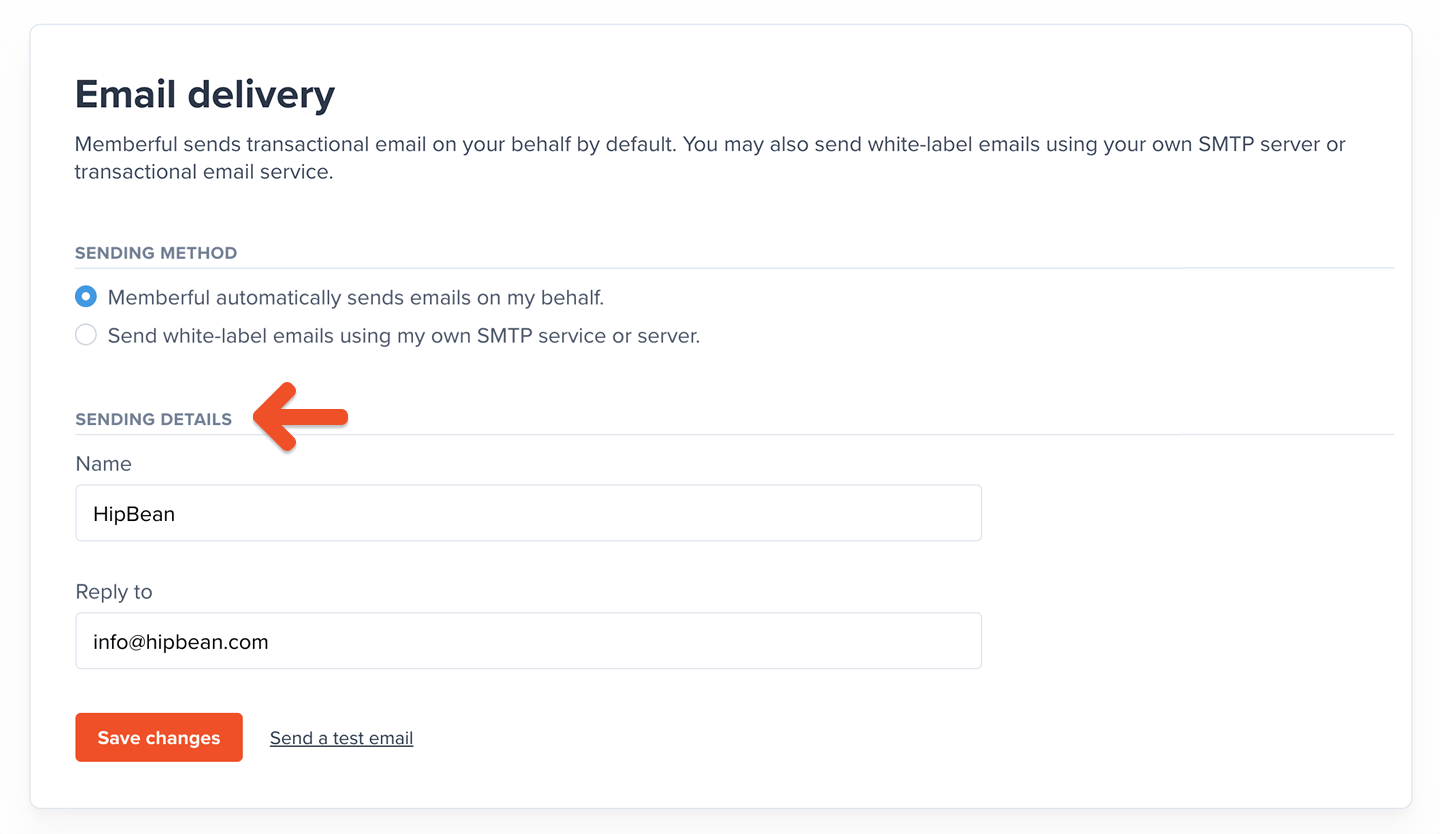 Alternatively, you can send white-label emails using your own SMTP server or transactional email service. This can also be configured via *Members → Settings.* [Learn more.](/configuration/emails/white-label-transactional-emails/)
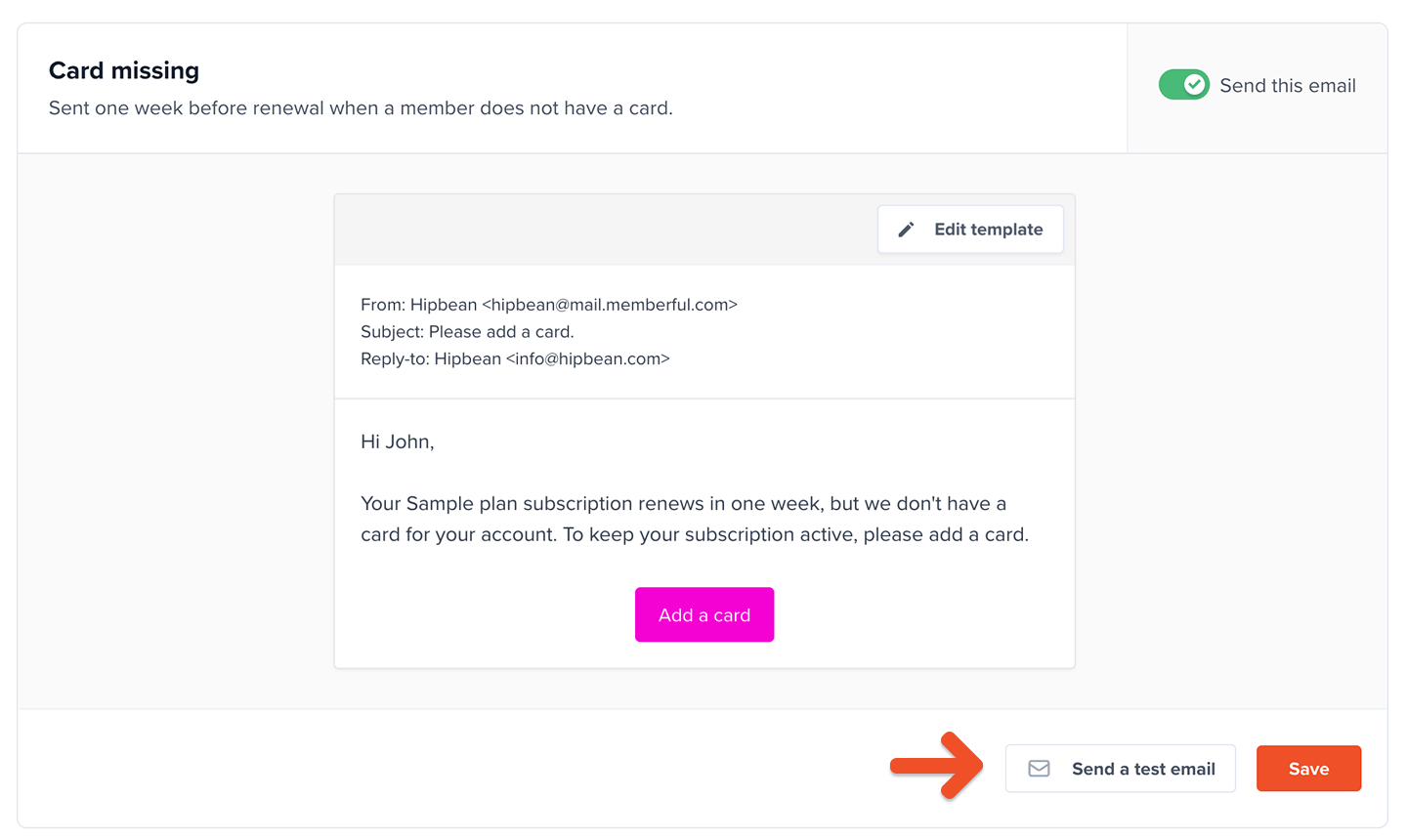 For accounts in [test mode](/overview/getting-started/make-test-purchases/) without a payment method, we don't send most transactional emails. The exception is the sign-in email as it's required to test the sign-in flow as a member. We have a special template that goes to the account owner in that case.
Once you've added a payment method, you'll unlock the rest of the templates and will be able to send and receive up to 25 transactional emails per day, and you'll see the **Send a test email** button.
After your site is live, to test how the email templates are being triggered without affecting current emails being sent, you can open a separate Memberful account and leave it in test mode, or use a service like [PutsMail](https://putsmail.com).
## Edit the email templates
Go to *Members → Templates.* All email templates are enabled by default except for the *Welcome message,* *Welcome back,* and *Checking in.*
[Click an email template](#review-available-templates) to edit it.
For accounts in [test mode](/overview/getting-started/make-test-purchases/) without a payment method, we don't send most transactional emails. The exception is the sign-in email as it's required to test the sign-in flow as a member. We have a special template that goes to the account owner in that case.
Once you've added a payment method, you'll unlock the rest of the templates and will be able to send and receive up to 25 transactional emails per day, and you'll see the **Send a test email** button.
After your site is live, to test how the email templates are being triggered without affecting current emails being sent, you can open a separate Memberful account and leave it in test mode, or use a service like [PutsMail](https://putsmail.com).
## Edit the email templates
Go to *Members → Templates.* All email templates are enabled by default except for the *Welcome message,* *Welcome back,* and *Checking in.*
[Click an email template](#review-available-templates) to edit it.
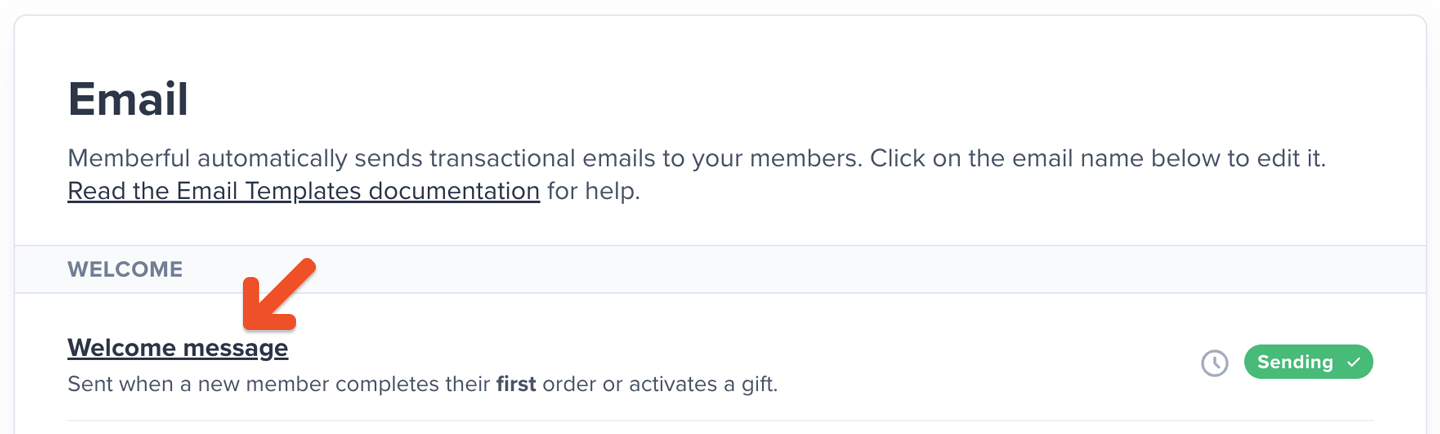 You can edit the subject line and the default text. You can also click **Add variable** to view the [available variables](#review-available-variables) and add them to the template. Click **Reset to default** to return to the default text.
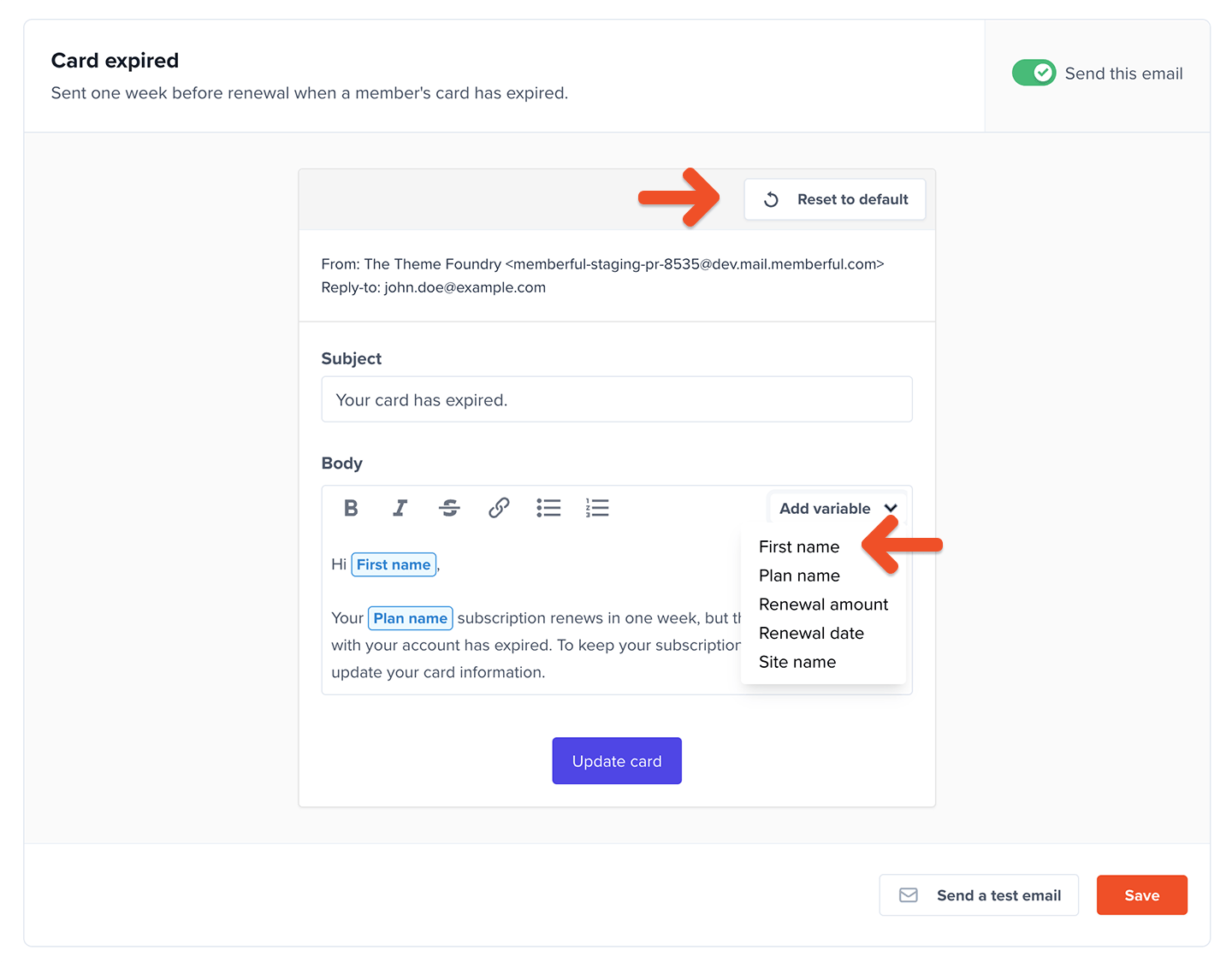 Click **Save changes** when you're done editing.
## Review available templates
**Welcome emails**
* **Welcome message:** Sent when a member or group manager completes their first order or activates a gift.
* **Welcome back:** Sent when a member reactivates an expired subscription.
* **Checking in:** Sent 14 days after a member signs up through checkout and completes their first order. Existing free members who make a purchase later will not receive this email.
* **New free member created:** Sent to new members who sign up for free or are created by Staff.
* **Gift delivery:** Sent when a member receives a gift.
* **Discord invite:** Sent to new members if the Discord integration is enabled.
**Payment emails**
* **Payment receipt:** Sent whenever a member completes an order, including orders with a free trial.
* **Payment refunded:** Sent when an order is refunded.
* **Gift payment receipt:** Sent when someone buys a gift.
* **Card missing:** Sent one week before renewal when a member does not have a credit card and subscription hasn't been cancelled.
* **Card expired:** Sent one week before renewal when a member's credit card has expired and subscription hasn't been cancelled. Sent only once per card.
We send the *Card missing* and *Card expired* emails once a day at 9AM UTC. How does this impact your members? Here's an example:
Let's say a member signs up for a 7-day trial on March 1st at 10 AM UTC; we will have already sent the emails for the day. Once we check again on March 2nd, the subscription will now expire in 6 days, so the member won't be eligible to receive the emails.
**Subscription emails**
* **Subscription expiring soon:** Sent 48 hours before a cancelled subscription expires.
* **Subscription is past due:** Sent when a subscription becomes past due.
* **Subscription expired:** Sent when a subscription has expired, including subscriptions that expired because the member didn't add a credit card before the end of a trial.
* **Yearly renewal reminder:** Sent 31 days before a member's yearly subscription is due for renewal.
* **Trial ending:** If the trial requires a credit card and lasts for 7 days or longer, this email will be sent 5 days before it renews. We will stop sending this email if you edit the plan to no longer offer a trial, even if a member is currently in a trial.
**Referrals**
* **New reward:** Sent when a member earns a referral reward.
**Retention**
* **Subscription canceled:** Sent two days after a member cancels a subscription, if they are not eligible for a retention discount.
* **Retention discount:** Sent one hour after a member cancels a subscription, if they are eligible for a retention discount.
**Group subscription emails**
* **Welcome group subscription manager:** Sent to new group managers after they purchase a group subscription.
* **Welcome new group subscription member:** Sent to new members after they join a group subscription.
* **Request to join a group subscription:** Sent to group managers when a member requests approval to join a group subscription.
**Maintenance emails**
* **Sign in link:** Sent when a member requests a sign in link.
* **Create password:** Sent when a member requests to create a password.
* **Password reset:** Sent when a member has lost or forgotten their password.
## Review available variables
**Global**
Available for these templates: *Welcome message, Welcome back, Payment receipt, Order refunded, Checking in, Password reset, New free member created, Discord invite*.
* **Site name**: The name of the site as configured in *Website → Settings.*
* **First name**: The first name of the email recipient.
**Subscriptions**
Available for these templates: *Subscription expiring soon, Subscription is past due, Subscription expired, Card expired, Card missing, Yearly renewal reminder, Free trial ending*.
* **Plan name**: The name of the subscription's plan.
* **Renewal amount**: The renewal price for the subscription.
* **Renewal date**: The renewal (or expiration, if inactive) date for the subscription.
**Gifts**
Available for these templates: *Gift delivery, gift payment receipt*.
* **Site name**
* **Gift giver name**
* **Gift giver email**
* **Gift recipient name**
* **Gift recipient email**
**Referrals**
Available for these templates: *New reward*.
* **First name**
* **Member count**
* **Plan name**
* **Renewal discount**
* **Site name**
**Retention**
Available for these templates: *Retention discount, subscription canceled*.
* **Discount amount** (*Retention discount* only)
* **First name**
* **Plan name**
* **Site name**
* **Subscription duration**
* **Renewal amount** (*Subscription canceled* only)
* **Renewal date** (*Subscription canceled* only)
**Group subscriptions**
Available for these templates: *Request to join a group subscription, Welcome new group subscription member, Welcome group subscription manager*.
* **Plan name**
* **Group subscription manager name** (*Welcome new group subscription member* only)
* **Group subscription manager email** (*Welcome new group subscription member* only)
* **Group subscription member name** (*Request to join a group subscription* only)
* **Group subscription member email** (*Request to join a group subscription* only)
## View a member's email history
You can access a log of the transactional emails we send to members on your behalf. [Learn more.](/member-management/subscription-management/admin-member-management/#view-their-email-history)
Click **Save changes** when you're done editing.
## Review available templates
**Welcome emails**
* **Welcome message:** Sent when a member or group manager completes their first order or activates a gift.
* **Welcome back:** Sent when a member reactivates an expired subscription.
* **Checking in:** Sent 14 days after a member signs up through checkout and completes their first order. Existing free members who make a purchase later will not receive this email.
* **New free member created:** Sent to new members who sign up for free or are created by Staff.
* **Gift delivery:** Sent when a member receives a gift.
* **Discord invite:** Sent to new members if the Discord integration is enabled.
**Payment emails**
* **Payment receipt:** Sent whenever a member completes an order, including orders with a free trial.
* **Payment refunded:** Sent when an order is refunded.
* **Gift payment receipt:** Sent when someone buys a gift.
* **Card missing:** Sent one week before renewal when a member does not have a credit card and subscription hasn't been cancelled.
* **Card expired:** Sent one week before renewal when a member's credit card has expired and subscription hasn't been cancelled. Sent only once per card.
We send the *Card missing* and *Card expired* emails once a day at 9AM UTC. How does this impact your members? Here's an example:
Let's say a member signs up for a 7-day trial on March 1st at 10 AM UTC; we will have already sent the emails for the day. Once we check again on March 2nd, the subscription will now expire in 6 days, so the member won't be eligible to receive the emails.
**Subscription emails**
* **Subscription expiring soon:** Sent 48 hours before a cancelled subscription expires.
* **Subscription is past due:** Sent when a subscription becomes past due.
* **Subscription expired:** Sent when a subscription has expired, including subscriptions that expired because the member didn't add a credit card before the end of a trial.
* **Yearly renewal reminder:** Sent 31 days before a member's yearly subscription is due for renewal.
* **Trial ending:** If the trial requires a credit card and lasts for 7 days or longer, this email will be sent 5 days before it renews. We will stop sending this email if you edit the plan to no longer offer a trial, even if a member is currently in a trial.
**Referrals**
* **New reward:** Sent when a member earns a referral reward.
**Retention**
* **Subscription canceled:** Sent two days after a member cancels a subscription, if they are not eligible for a retention discount.
* **Retention discount:** Sent one hour after a member cancels a subscription, if they are eligible for a retention discount.
**Group subscription emails**
* **Welcome group subscription manager:** Sent to new group managers after they purchase a group subscription.
* **Welcome new group subscription member:** Sent to new members after they join a group subscription.
* **Request to join a group subscription:** Sent to group managers when a member requests approval to join a group subscription.
**Maintenance emails**
* **Sign in link:** Sent when a member requests a sign in link.
* **Create password:** Sent when a member requests to create a password.
* **Password reset:** Sent when a member has lost or forgotten their password.
## Review available variables
**Global**
Available for these templates: *Welcome message, Welcome back, Payment receipt, Order refunded, Checking in, Password reset, New free member created, Discord invite*.
* **Site name**: The name of the site as configured in *Website → Settings.*
* **First name**: The first name of the email recipient.
**Subscriptions**
Available for these templates: *Subscription expiring soon, Subscription is past due, Subscription expired, Card expired, Card missing, Yearly renewal reminder, Free trial ending*.
* **Plan name**: The name of the subscription's plan.
* **Renewal amount**: The renewal price for the subscription.
* **Renewal date**: The renewal (or expiration, if inactive) date for the subscription.
**Gifts**
Available for these templates: *Gift delivery, gift payment receipt*.
* **Site name**
* **Gift giver name**
* **Gift giver email**
* **Gift recipient name**
* **Gift recipient email**
**Referrals**
Available for these templates: *New reward*.
* **First name**
* **Member count**
* **Plan name**
* **Renewal discount**
* **Site name**
**Retention**
Available for these templates: *Retention discount, subscription canceled*.
* **Discount amount** (*Retention discount* only)
* **First name**
* **Plan name**
* **Site name**
* **Subscription duration**
* **Renewal amount** (*Subscription canceled* only)
* **Renewal date** (*Subscription canceled* only)
**Group subscriptions**
Available for these templates: *Request to join a group subscription, Welcome new group subscription member, Welcome group subscription manager*.
* **Plan name**
* **Group subscription manager name** (*Welcome new group subscription member* only)
* **Group subscription manager email** (*Welcome new group subscription member* only)
* **Group subscription member name** (*Request to join a group subscription* only)
* **Group subscription member email** (*Request to join a group subscription* only)
## View a member's email history
You can access a log of the transactional emails we send to members on your behalf. [Learn more.](/member-management/subscription-management/admin-member-management/#view-their-email-history)