> ## Documentation Index
> Fetch the complete documentation index at: https://memberful.com/docs/llms.txt
> Use this file to discover all available pages before exploring further.
# Set up a custom domain
> Custom domains allow you to use your own domain name with Memberful membership software, allowing you to build trust through a consistent brand experience.
export const RelatedDocs = ({link1, link2, link3, link4, link5, link6, link7, link8, link9, link10, className = ""}) => {
const links = [link1, link2, link3, link4, link5, link6, link7, link8, link9, link10].filter(Boolean);
if (!links.length) return null;
return ;
};
export const ContactSupport = ({label = "Contact us to get set up →", fallbackEmail = "info@memberful.com", className = ""}) => {
const handleClick = e => {
e.preventDefault();
if (typeof window !== 'undefined' && window.Intercom) {
try {
window.Intercom('showNewMessage');
return;
} catch (error) {
console.warn('Intercom failed to open:', error);
}
}
window.location.href = `mailto:${fallbackEmail}`;
};
return
{label}
;
};
In this help article, we'll show you how to replace [**ACCOUNT-URL.memberful.com**](http://ACCOUNT-URL.memberful.com) with your own custom domain, giving members a branded experience like [**YOURSITE.ACCOUNT-URL.com**](http://YOURSITE.ACCOUNT-URL.com) when they shop, log in, or browse your [Memberful-hosted website](/overview/setup-guides/hosted-member-site/).
This only applies to Memberful-hosted pages. Your website will always use your own domain, even if it's been connected to Memberful.
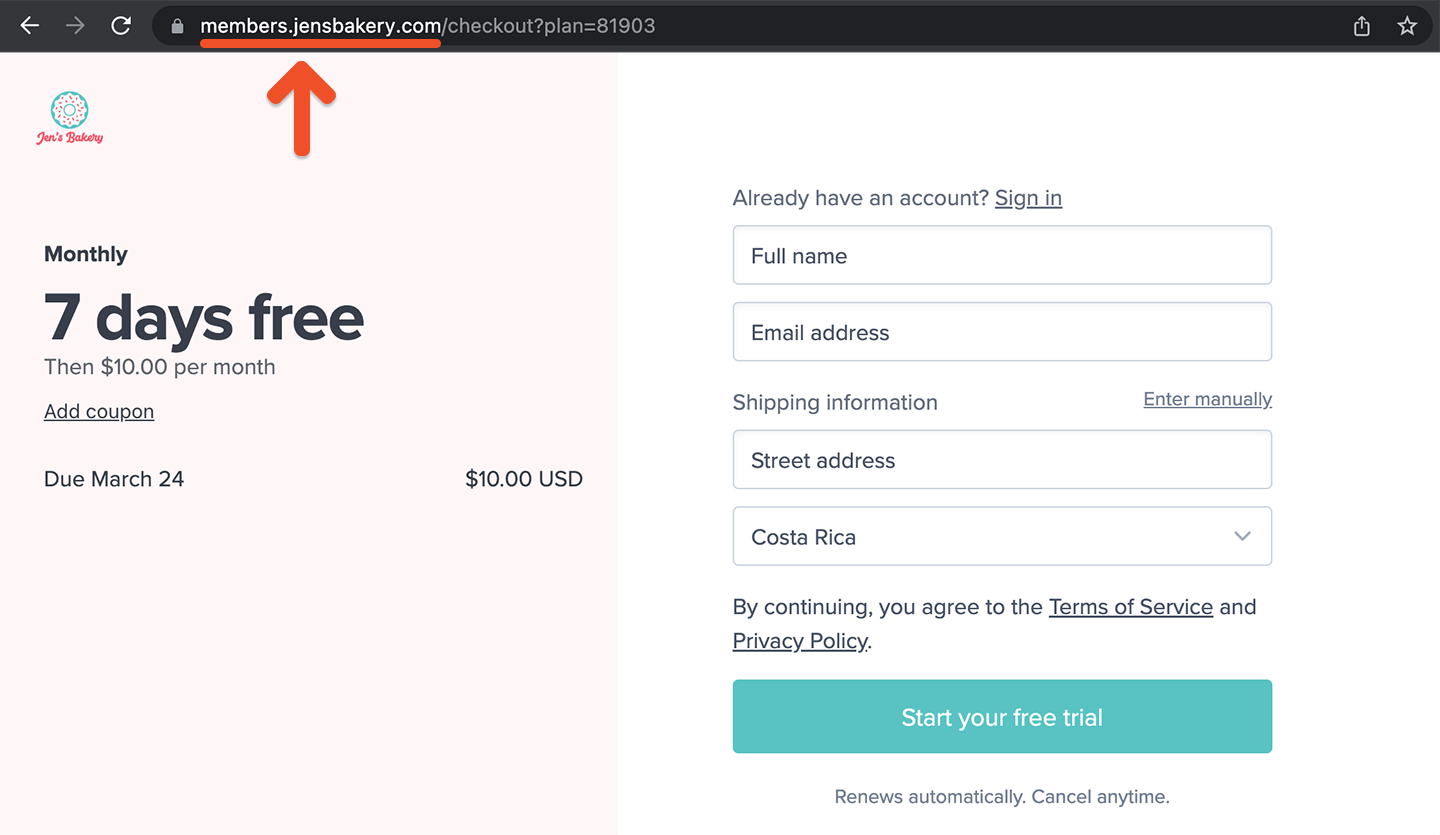 In almost every case, your custom domain will be a subdomain of your main domain name (this is sometimes called a CNAME). So it would be something like `members.ACCOUNT-URL.com`, not just `somenewdomain.com`. If you'd like to use a top-level domain like that instead of a subdomain, let us know so we can discuss your options.
If you pair custom domains with our existing features like [custom branding](/configuration/branding/branding/) and [customizable email templates](/configuration/emails/email-templates/), a member of your site would have almost no way of knowing that you're using Memberful—allowing you to build trust through a consistent brand experience.
In almost every case, your custom domain will be a subdomain of your main domain name (this is sometimes called a CNAME). So it would be something like `members.ACCOUNT-URL.com`, not just `somenewdomain.com`. If you'd like to use a top-level domain like that instead of a subdomain, let us know so we can discuss your options.
If you pair custom domains with our existing features like [custom branding](/configuration/branding/branding/) and [customizable email templates](/configuration/emails/email-templates/), a member of your site would have almost no way of knowing that you're using Memberful—allowing you to build trust through a consistent brand experience.