> ## Documentation Index
> Fetch the complete documentation index at: https://memberful.com/docs/llms.txt
> Use this file to discover all available pages before exploring further.

# Discord member experience

> Walk new members through joining your Discord server step by step. Personalize this guide and share it so members know how to set up and use Discord.

export const RelatedDocs = ({link1, link2, link3, link4, link5, link6, link7, link8, link9, link10, className = ""}) => {
  const links = [link1, link2, link3, link4, link5, link6, link7, link8, link9, link10].filter(Boolean);
  if (!links.length) return null;
  return <section className={`related-docs border dark:border-gray-700 rounded-2xl px-6 py-4 mt-6 ${className}`}>
      <p className="mb-2 font-medium">
        <strong>Related help docs:</strong>
      </p>
      <ul className="space-y-1 mb-1 mt-1">
        {links.map((link, index) => <li key={index}>
            <a href={link.url}>{link.label}</a>
          </li>)}
      </ul>
    </section>;
};

Discord is a free chatroom platform where you can connect with other like-minded folks, in real-time, through text, audio, or video. If you purchased a membership that includes access to a private Discord server, you'll first need to create a free Discord account before you can join the server or private server channels.

In this help article, we'll walk you through joining a Discord server, authorizing the Memberful bot, and participating in the community.

## I already have a Discord account

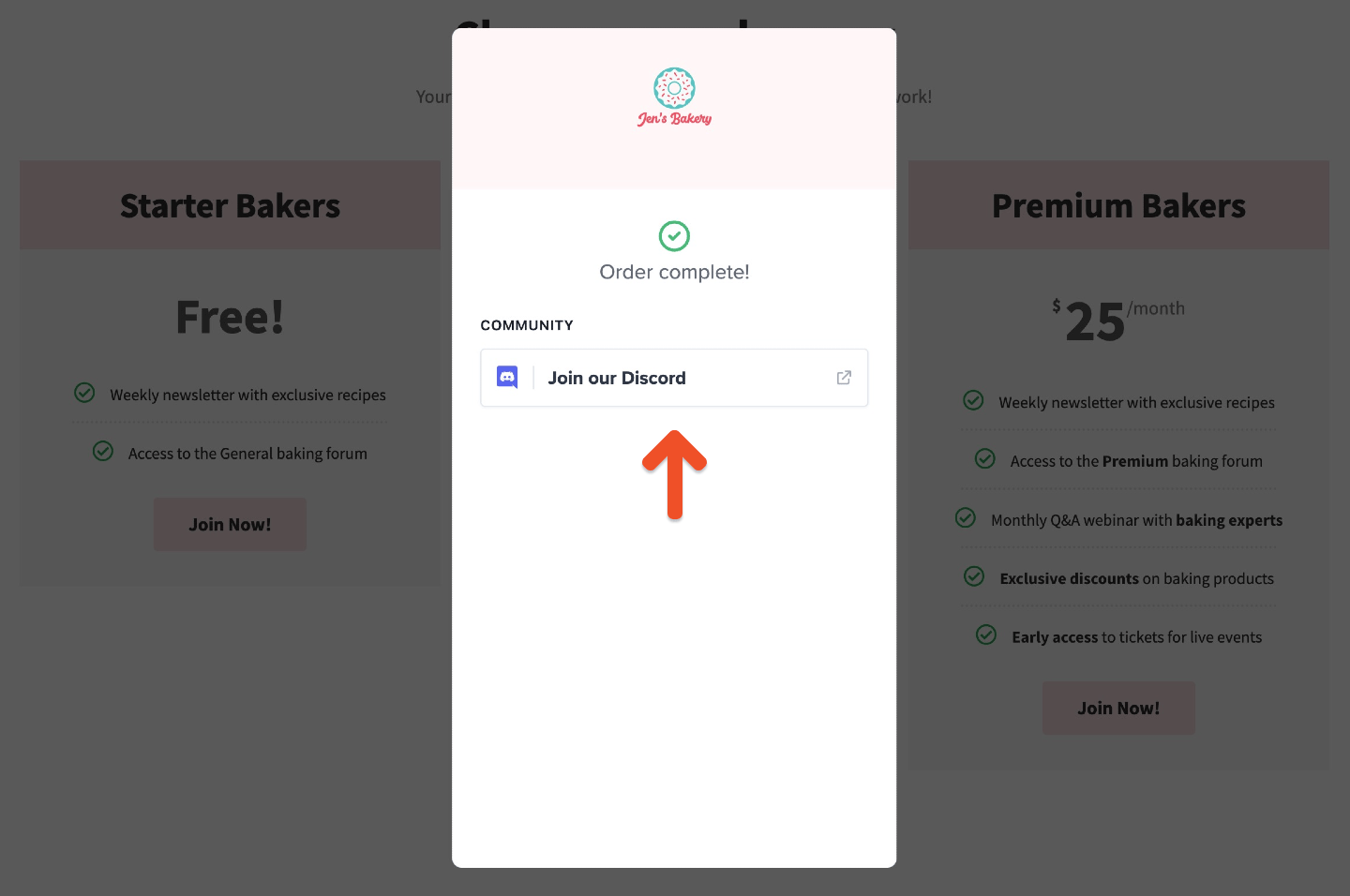
After you start a membership that includes Discord access, we will show you a page with an invite to join the Discord server.

<Frame>
  <img src="https://mintcdn.com/memberful/OMtzINyMMcE4X0hP/images/integrations/community/discord-member-experience/join-our-discord-server.png?fit=max&auto=format&n=OMtzINyMMcE4X0hP&q=85&s=4dc4e5e0362fec017de7e8a32da17167" alt="Authorize the Memberful Discord bot after checkout" width="1440" height="956" data-path="images/integrations/community/discord-member-experience/join-our-discord-server.png" />
</Frame>

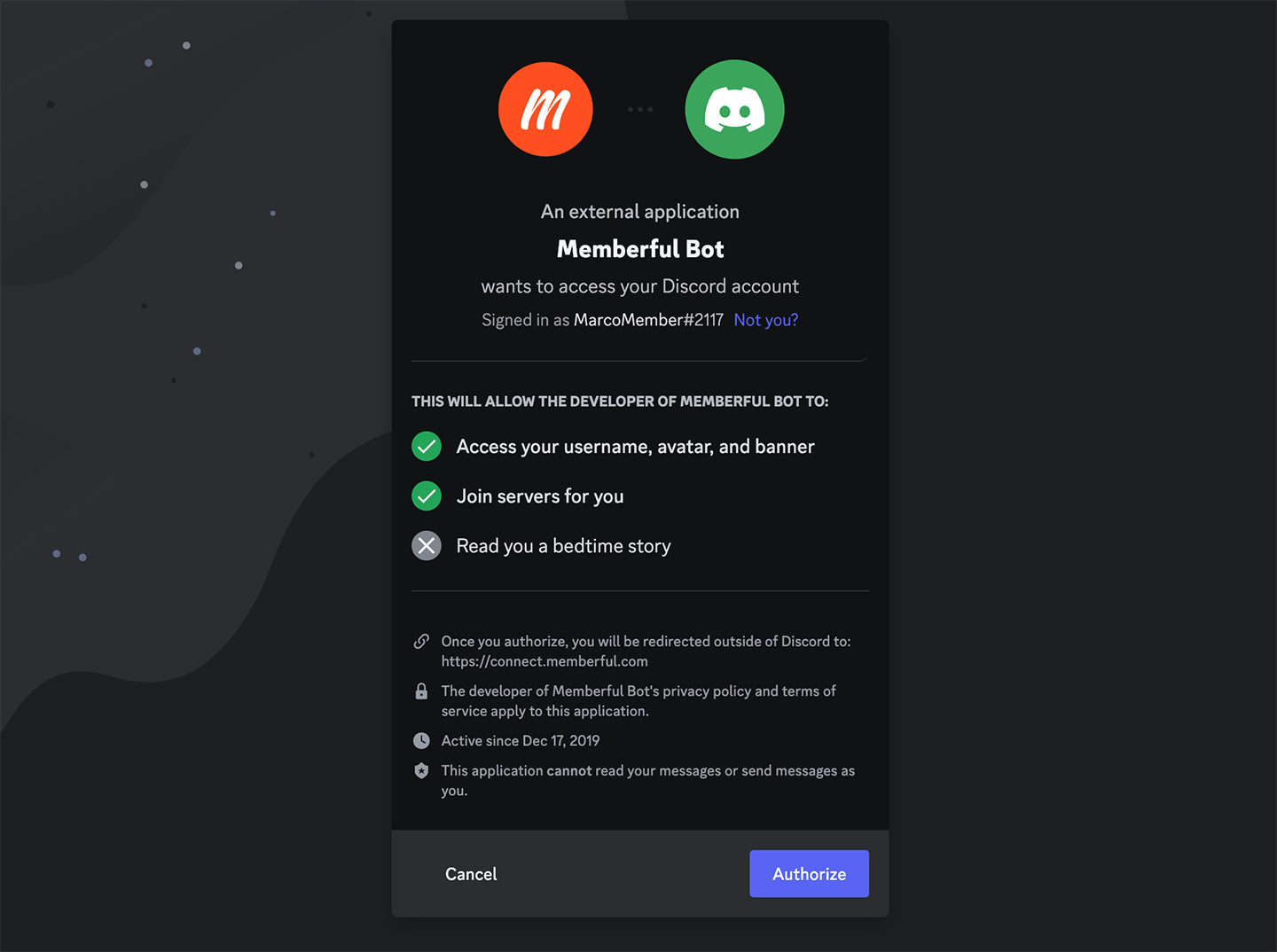
When you click the button, you'll be prompted to authorize the Memberful Discord bot so we can manage your server access.
<Frame>
  <img src="https://mintcdn.com/memberful/8cnaMPD_oPIjL0By/images/integrations/community/discord-member-experience/discord-authorize-memberful-bot.png?fit=max&auto=format&n=8cnaMPD_oPIjL0By&q=85&s=a0e773b58c98d9de38112587fa2ef306" alt="Authorize bot" width="1440" height="1074" data-path="images/integrations/community/discord-member-experience/discord-authorize-memberful-bot.png" />
</Frame>

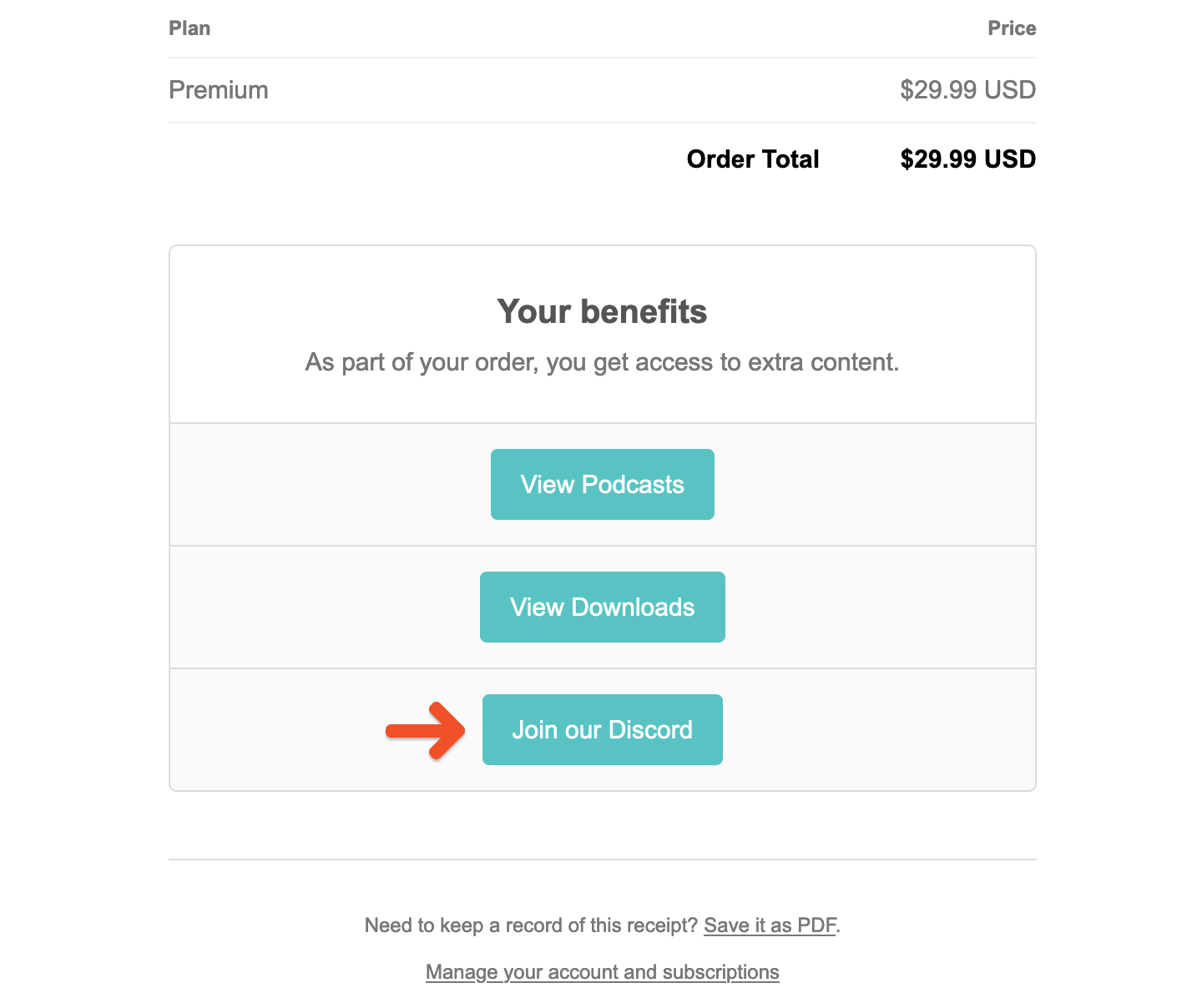
Alternatively, your purchase receipt email contains a button labeled *Join our Discord*, which will also allow you to join the server.
<Frame>
  <img src="https://mintcdn.com/memberful/OMtzINyMMcE4X0hP/images/integrations/community/discord-member-experience/purchase-receipt-discord-button.png?fit=max&auto=format&n=OMtzINyMMcE4X0hP&q=85&s=df68891f5eadd17aea97123e30d688fe" alt="Discord button in purchase receipt" width="1440" height="1208" data-path="images/integrations/community/discord-member-experience/purchase-receipt-discord-button.png" />
</Frame>

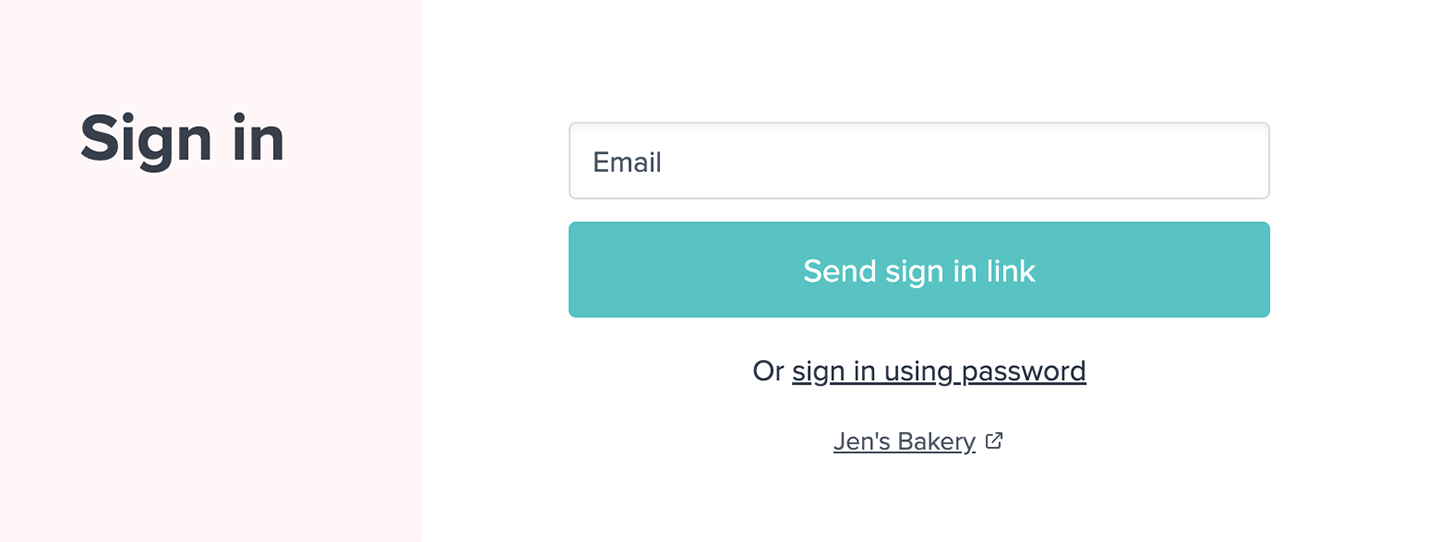
Click the button in the email and sign in through the membership platform.
<Frame>
  <img src="https://mintcdn.com/memberful/OMtzINyMMcE4X0hP/images/integrations/community/discord-member-experience/sign-in-through-memberful.png?fit=max&auto=format&n=OMtzINyMMcE4X0hP&q=85&s=102e31c64647310e40ecfdfeb6a430f1" alt="Continue to server" width="1440" height="542" data-path="images/integrations/community/discord-member-experience/sign-in-through-memberful.png" />
</Frame>

## I don't have a Discord account

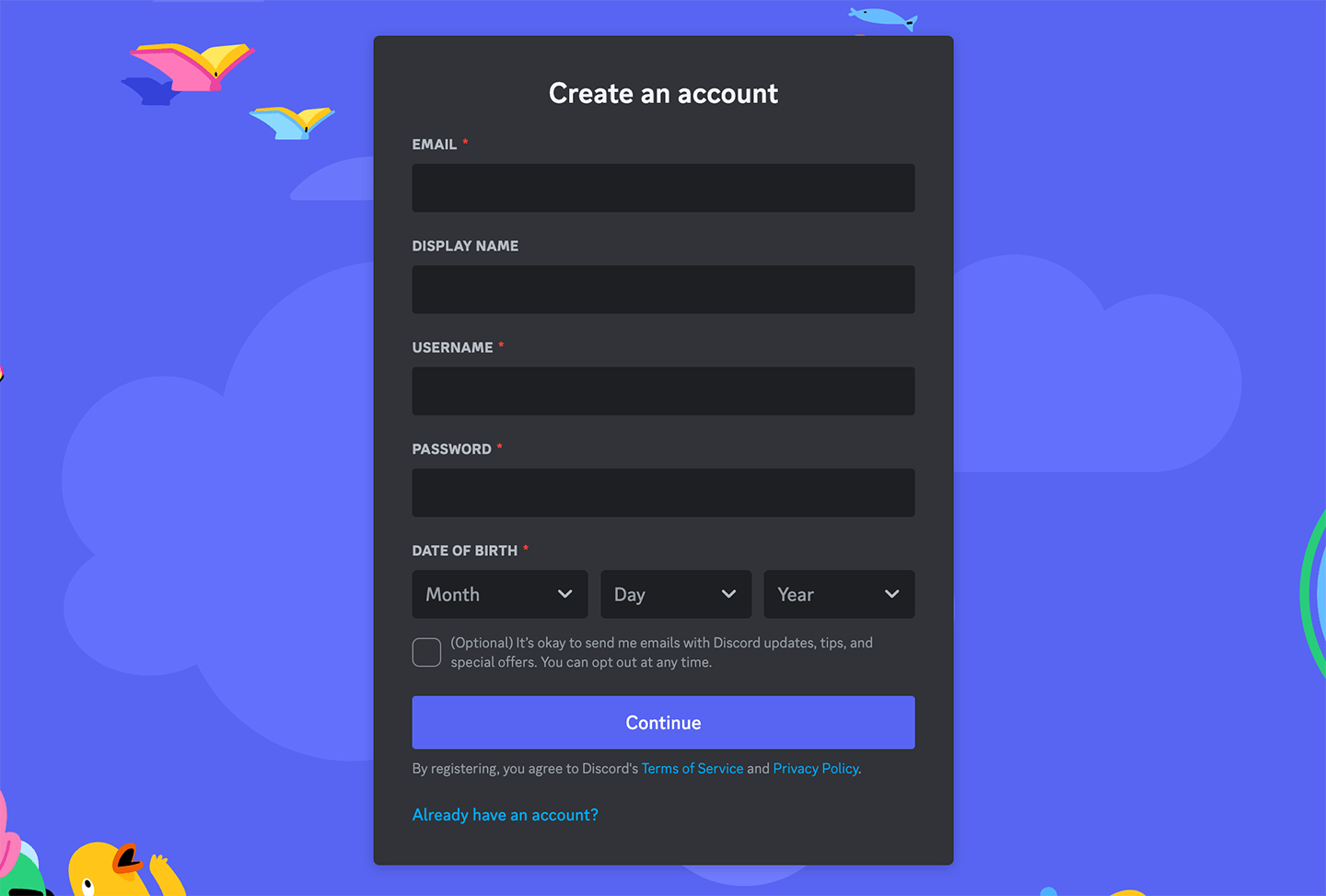
If you purchased a membership that includes access to a private Discord server, you'll need to create a [free Discord account](https://discord.com/) before you can join.
<Frame>
  <img src="https://mintcdn.com/memberful/8cnaMPD_oPIjL0By/images/integrations/community/discord-member-experience/discord-create-account-1.png?fit=max&auto=format&n=8cnaMPD_oPIjL0By&q=85&s=192dcdba9a99aa536a675b6349cf116e" alt="Create an account 1" width="1440" height="973" data-path="images/integrations/community/discord-member-experience/discord-create-account-1.png" />
</Frame>

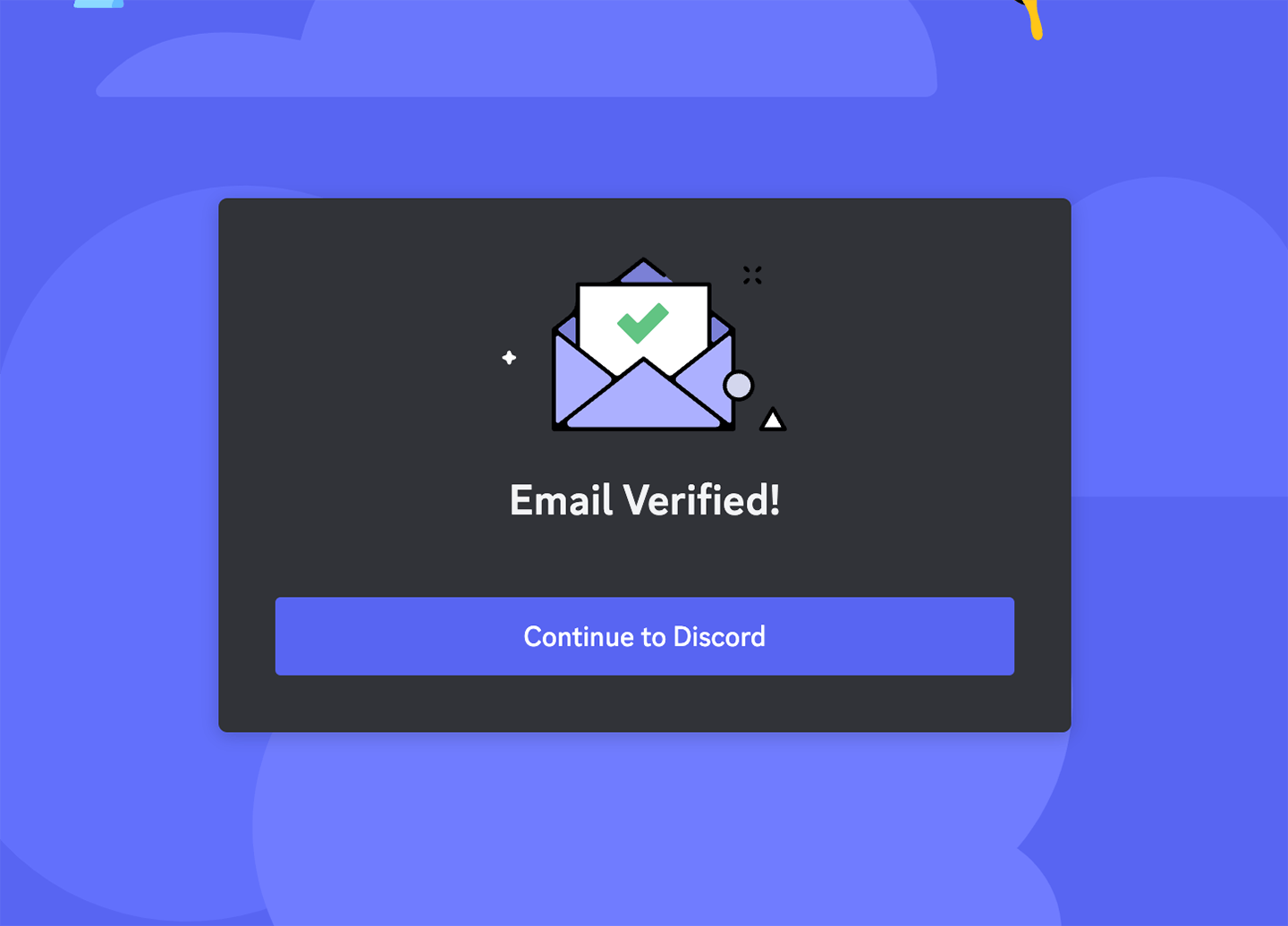
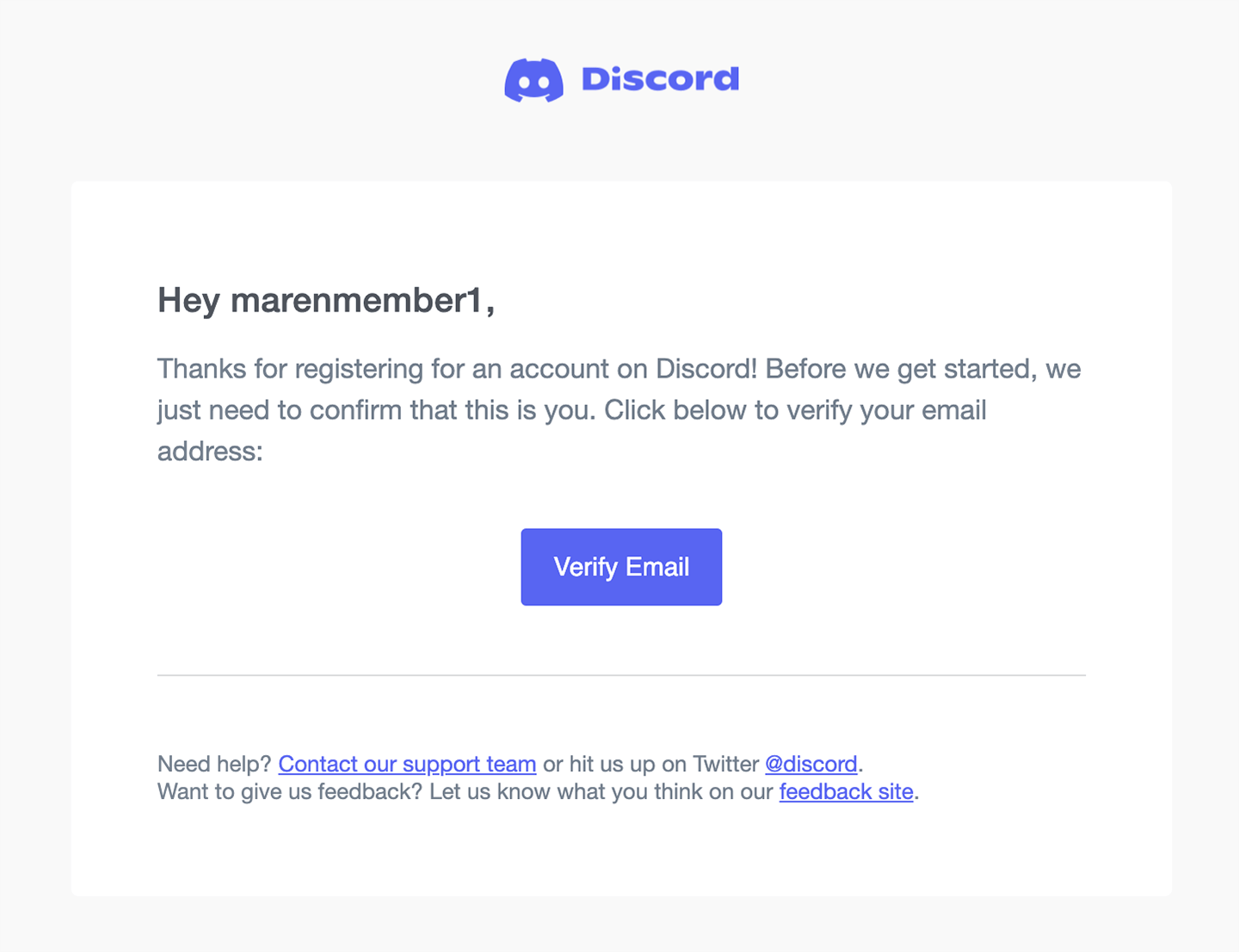
Check your inbox for a Discord email. Click **Verify Email**, and then **Continue to Discord.**
<Frame>
  <img src="https://mintcdn.com/memberful/OMtzINyMMcE4X0hP/images/integrations/community/discord-member-experience/discord-verification-email.png?fit=max&auto=format&n=OMtzINyMMcE4X0hP&q=85&s=29f0c66ddacf8a28b6a1eee65b7e1117" alt="Discord verification email" width="1440" height="1107" data-path="images/integrations/community/discord-member-experience/discord-verification-email.png" />
</Frame>

<Frame>
  <img src="https://mintcdn.com/memberful/8cnaMPD_oPIjL0By/images/integrations/community/discord-member-experience/discord-continue-to-server.png?fit=max&auto=format&n=8cnaMPD_oPIjL0By&q=85&s=bd3fa0b95596dfafbd9ecd873635e51a" alt="Continue to server" width="1440" height="1035" data-path="images/integrations/community/discord-member-experience/discord-continue-to-server.png" />
</Frame>

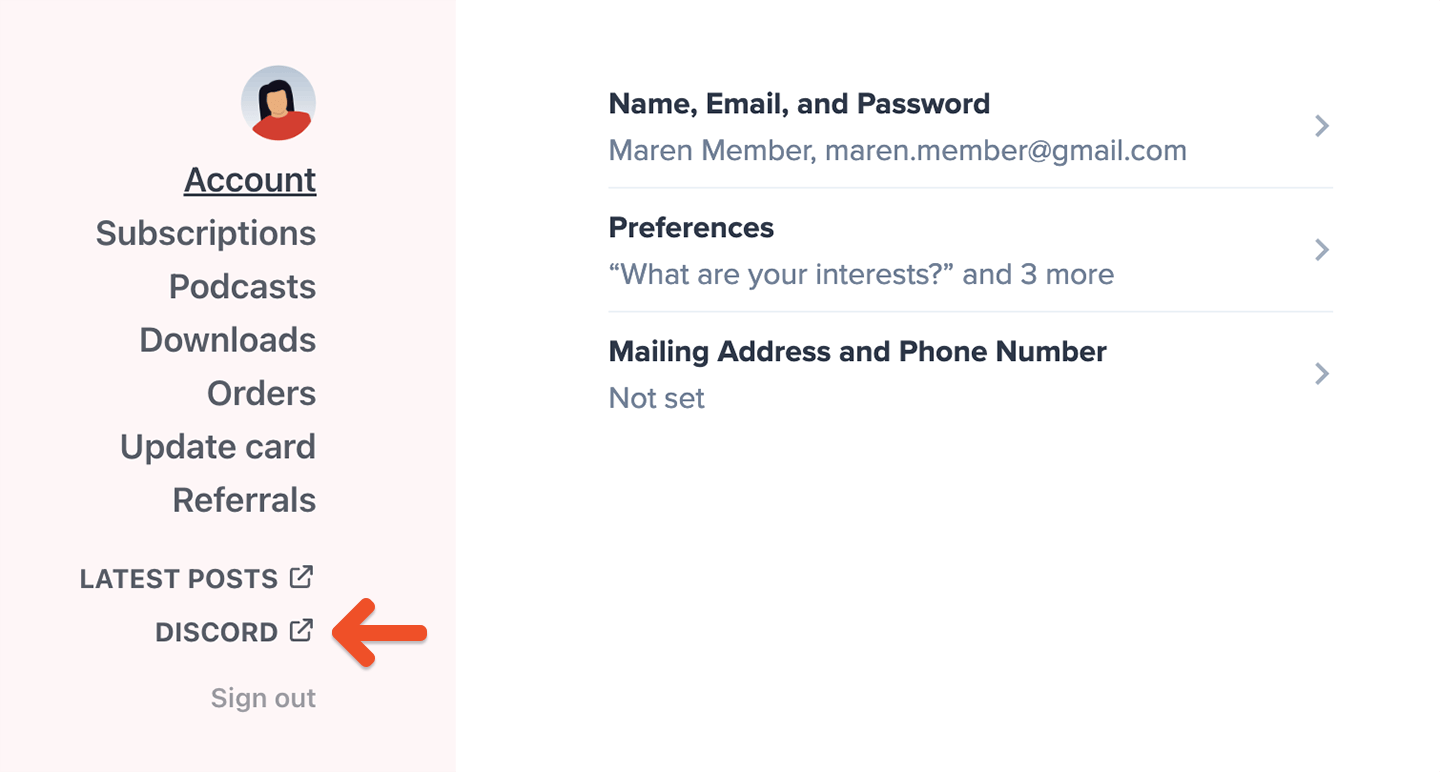
Click the Discord link in your member account page to authorize the Memberful bot. We also include the link in your Payment receipt email.
<Frame>
  <img src="https://mintcdn.com/memberful/8cnaMPD_oPIjL0By/images/integrations/community/discord-member-experience/discord-link-in-member-profile.png?fit=max&auto=format&n=8cnaMPD_oPIjL0By&q=85&s=9f003105f2a367b10eae4496465c45cb" alt="Authorize bot" width="1440" height="772" data-path="images/integrations/community/discord-member-experience/discord-link-in-member-profile.png" />
</Frame>

This will take you to a page where you can authorize the Memberful Discord bot.

<Frame>
  <img src="https://mintcdn.com/memberful/8cnaMPD_oPIjL0By/images/integrations/community/discord-member-experience/discord-authorize-memberful-bot.png?fit=max&auto=format&n=8cnaMPD_oPIjL0By&q=85&s=a0e773b58c98d9de38112587fa2ef306" alt="Authorize bot" width="1440" height="1074" data-path="images/integrations/community/discord-member-experience/discord-authorize-memberful-bot.png" />
</Frame>

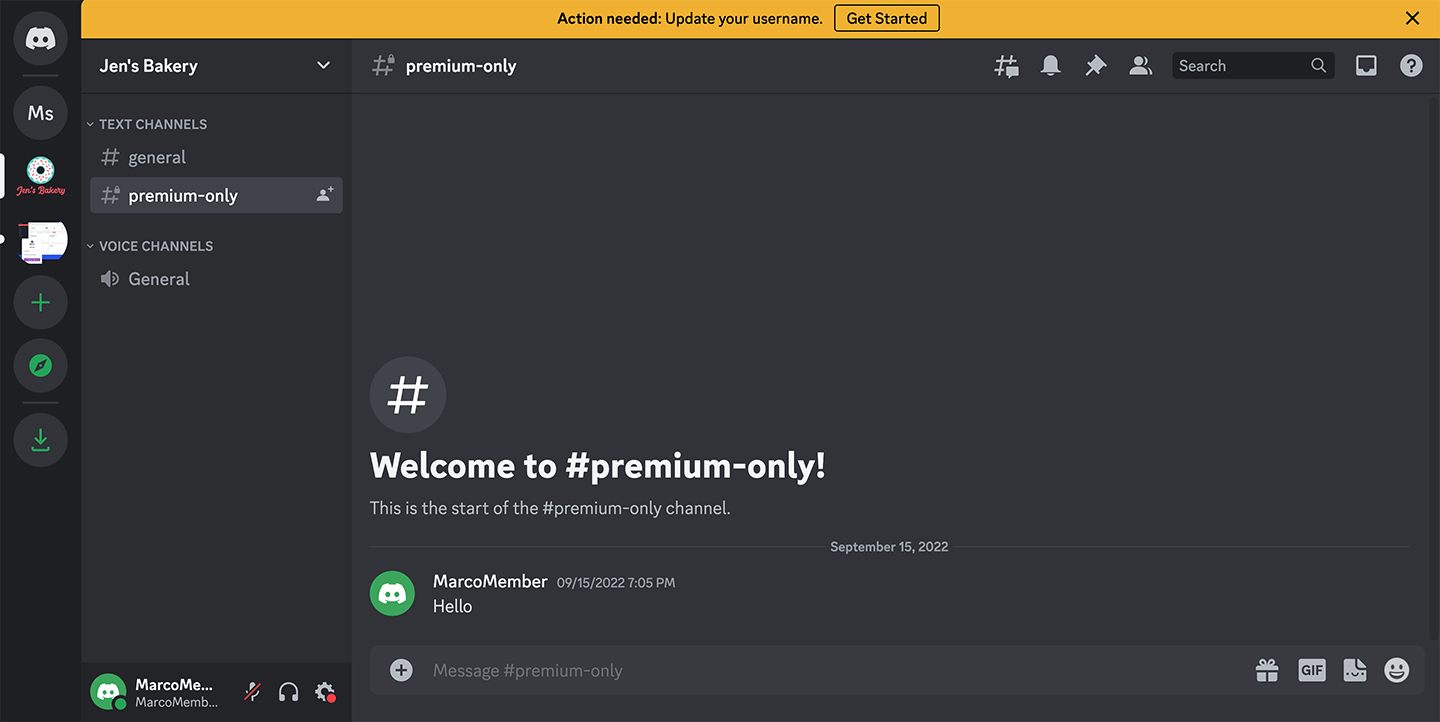
Then you will be able to access the private server.
<Frame>
  <img src="https://mintcdn.com/memberful/8cnaMPD_oPIjL0By/images/integrations/community/discord-member-experience/discord-access-the-server.png?fit=max&auto=format&n=8cnaMPD_oPIjL0By&q=85&s=e04cba29736356c871d4eb7ec13c200f" alt="Access the server" width="1440" height="722" data-path="images/integrations/community/discord-member-experience/discord-access-the-server.png" />
</Frame>

## How to participate in a Discord server

1. Read the rules and welcome page.
2. Look at the various chats to jump into and read / respond.
3. Turn on notifications so you know if someone has mentioned you.
4. If you've used Slack, Discord operates in a very similar way.
5. Any other questions? [Check out Discord's guide.](https://support.discord.com/hc/en-us/articles/360045138571-Beginner-s-Guide-to-Discord)

For servers that are only open to members with access, you will be removed from the server completely if your subscription or trial ends. For servers that are open to all members, you may have limited access to certain channels if your subscription or trial ends.

## Log in to the Discord server

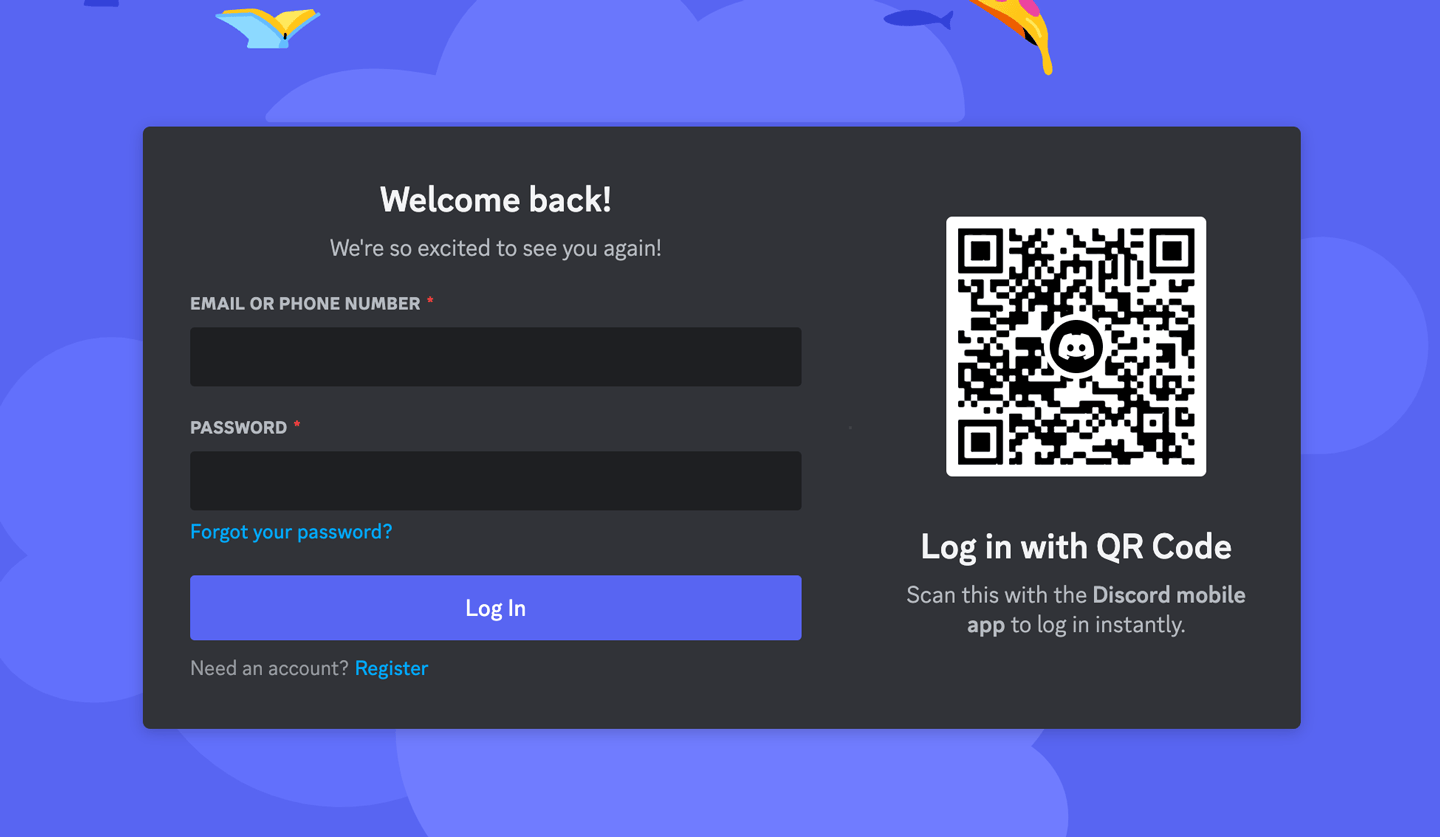
Moving forward, you will use your Discord credentials to log in to Discord to access the server.
<Frame>
  <img src="https://mintcdn.com/memberful/OMtzINyMMcE4X0hP/images/integrations/community/discord-member-experience/discord-log-in.png?fit=max&auto=format&n=OMtzINyMMcE4X0hP&q=85&s=c76e2ff63a74bd379ca2092a3ca1f946" alt="Log in to Discord" width="1440" height="837" data-path="images/integrations/community/discord-member-experience/discord-log-in.png" />
</Frame>

<RelatedDocs
  link1={{
url: "/community/discord/discord-integrate/",
label: "Review Discord setup steps.",
}}
  link2={{
url: "/community/discord/discord-post-setup/",
label: "Review Discord post-setup and troubleshooting tips.",
}}
/>